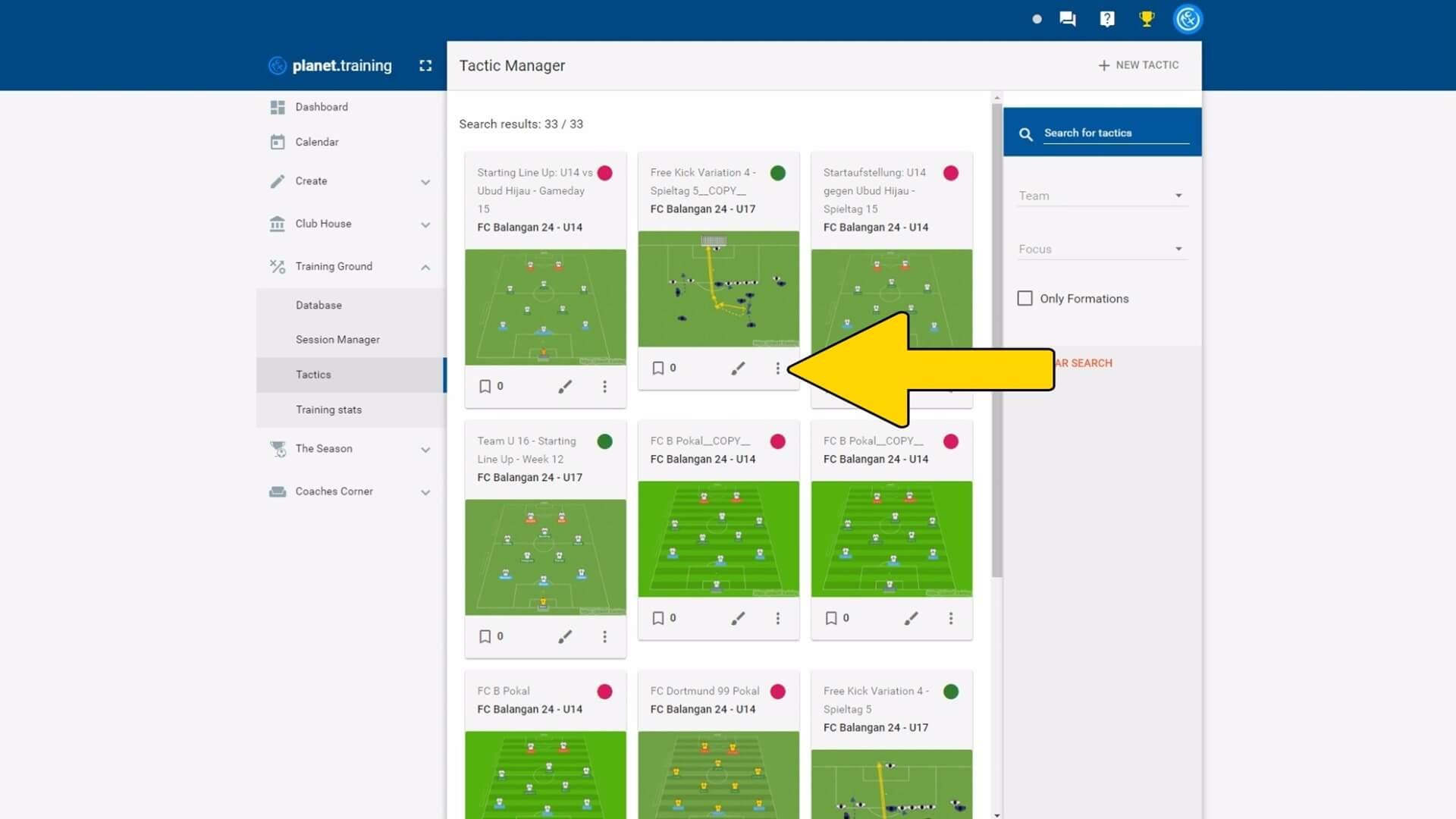
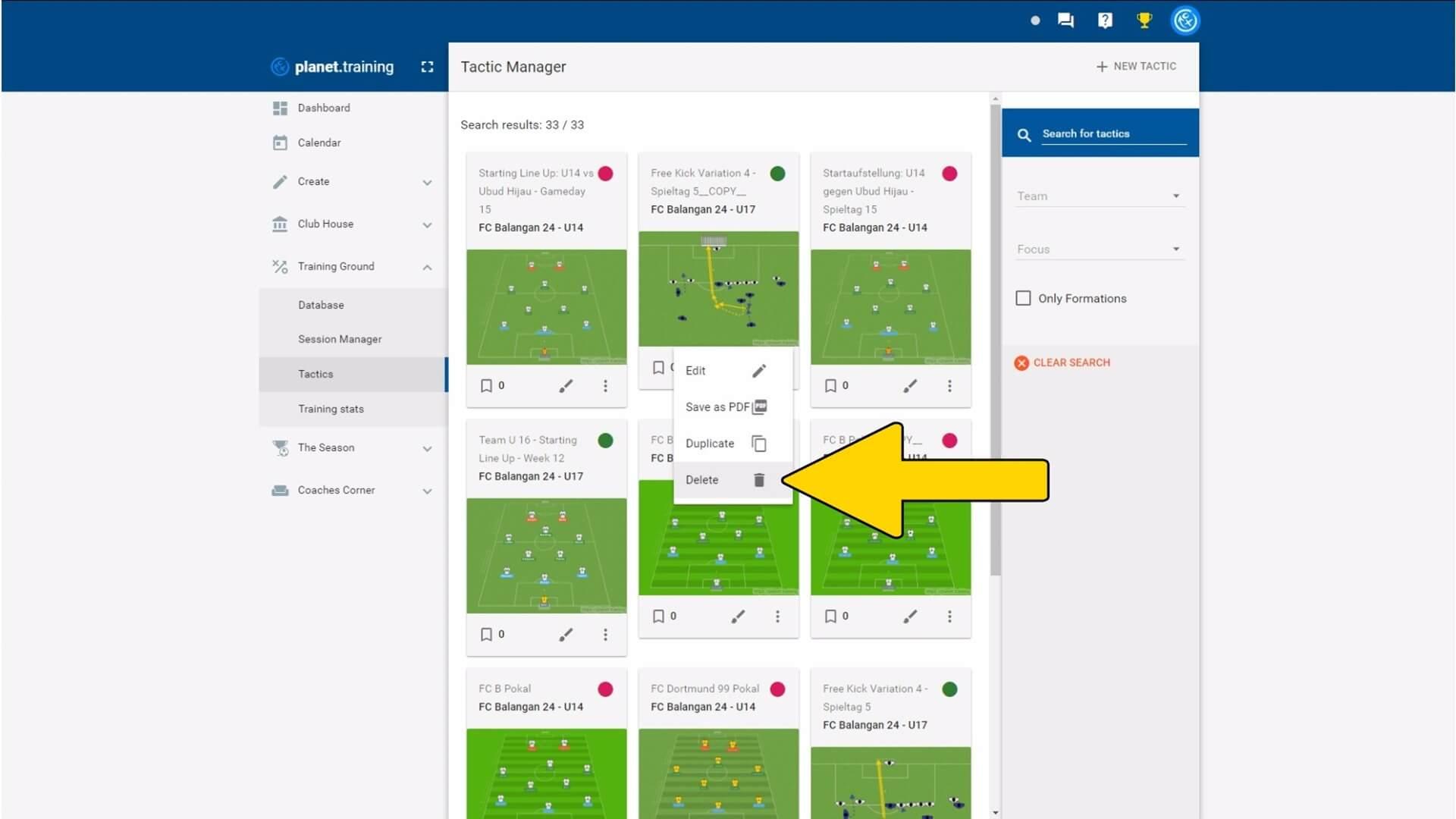
Delete tactic
Tactic Manager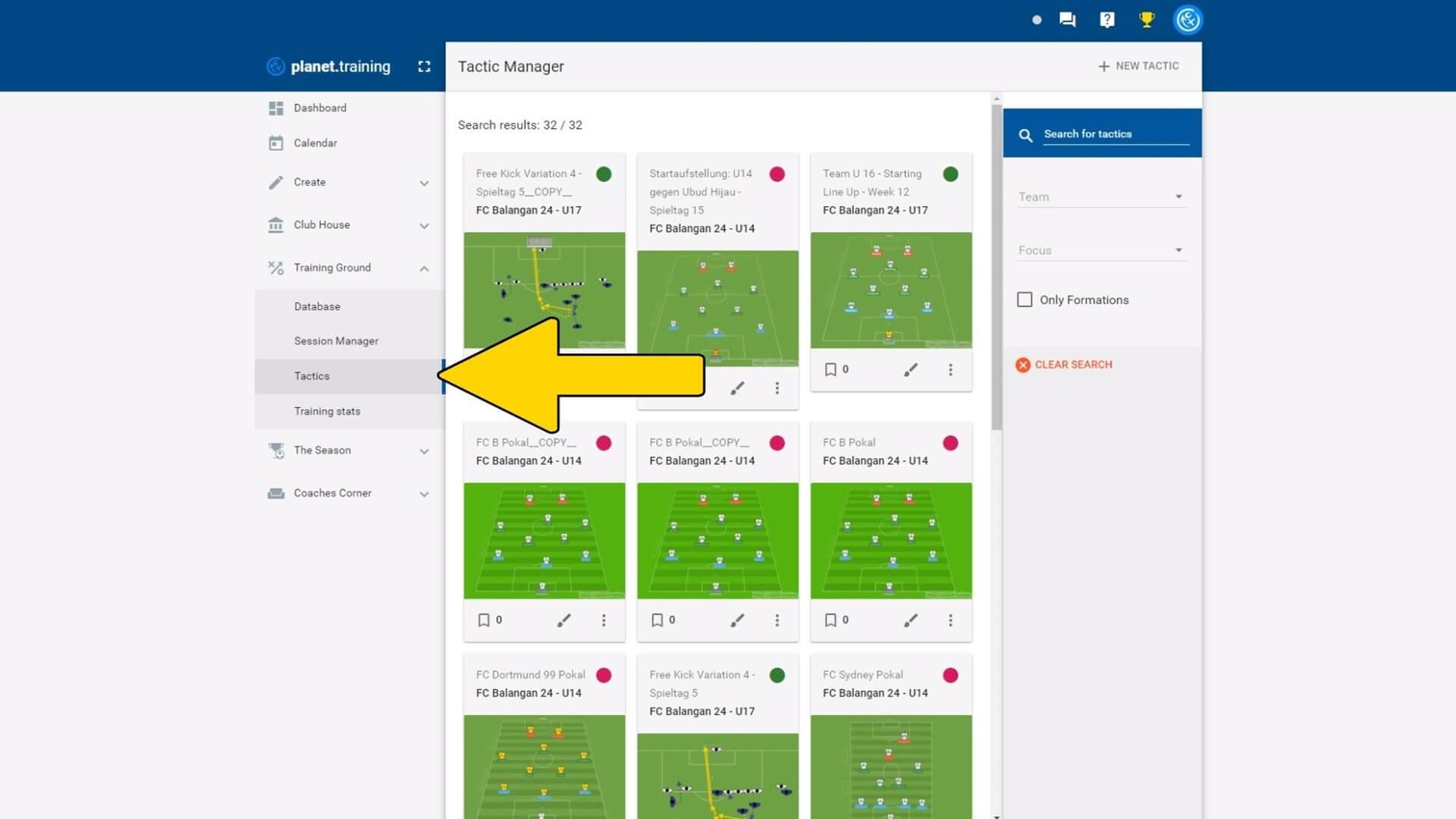
Further questions about planet.training?
You can find many more tutorials in our support center. If you can't find an answer here either, please send us a message to support@planet.training or use our support chat on this page.